
Booking A COURT!
Booking now or make an account

NEW TO PADEL ?
Follow the steps below to register with Playtomic and book a court.
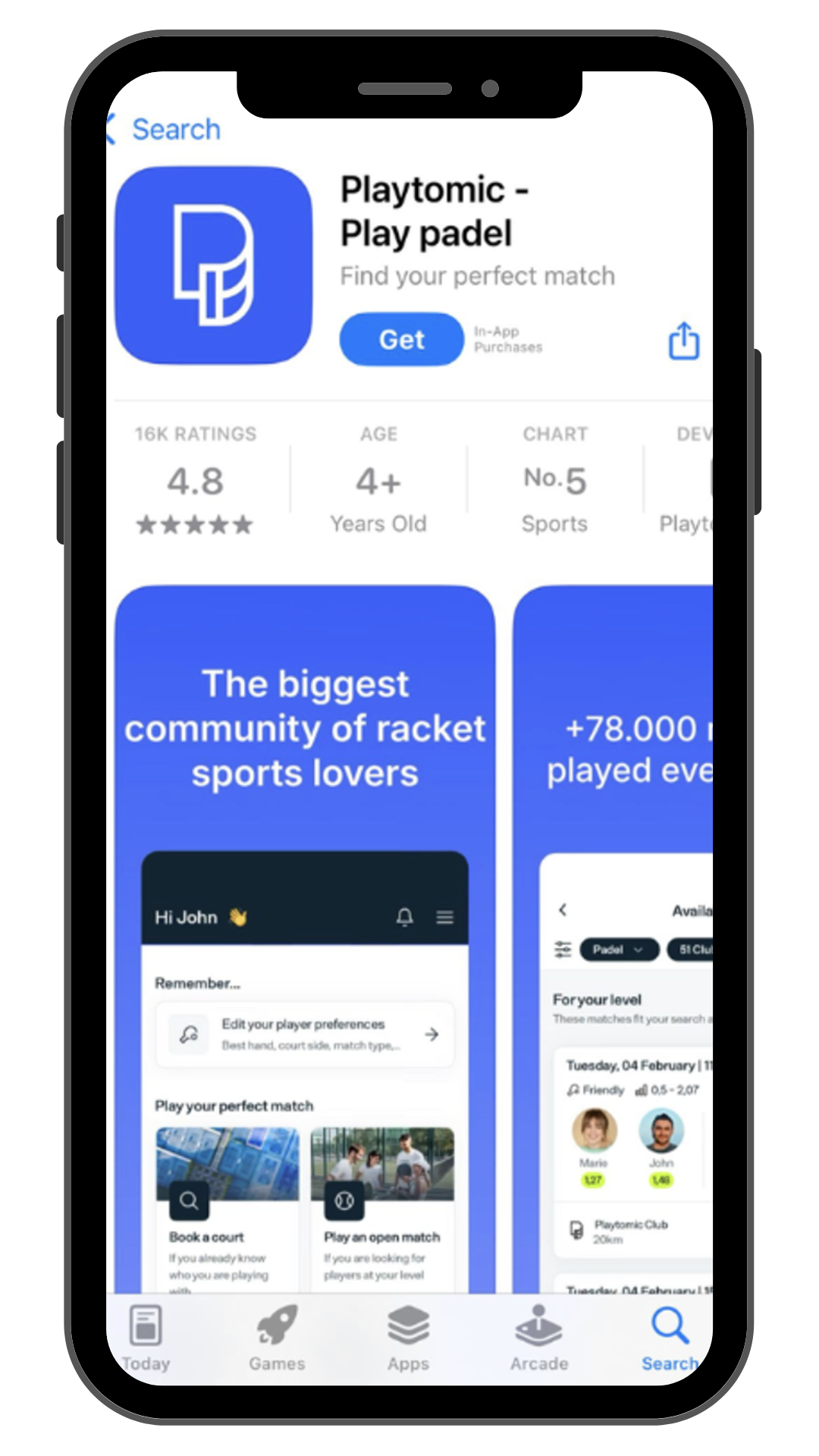
Open the App Store/Google Play Store on your mobile devide and search for “playtomic” app. Once found, click on the download button to install the app.
STEP 1
STEP 2
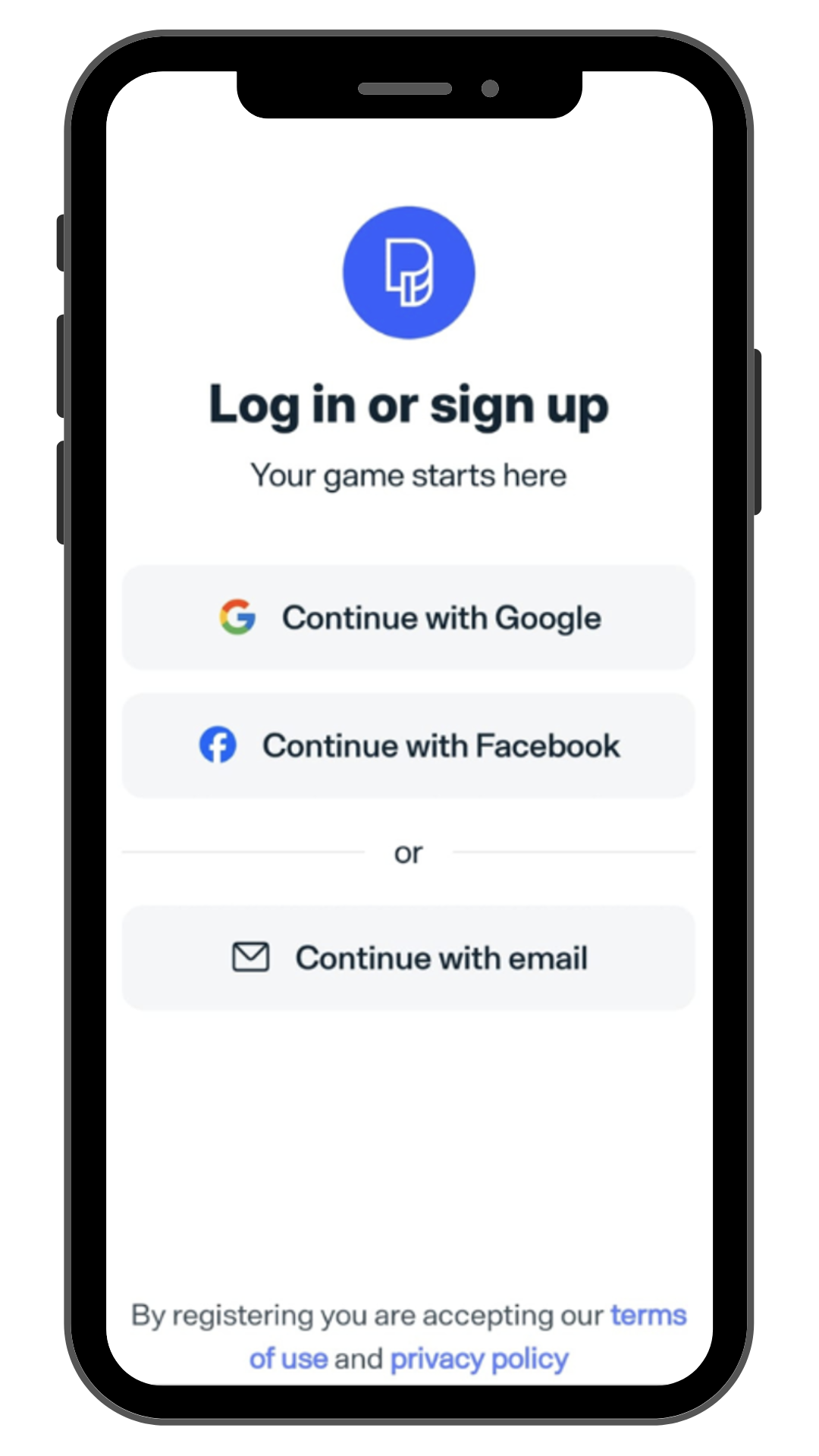
Once the app is installed, open it and select the blue "register”button.
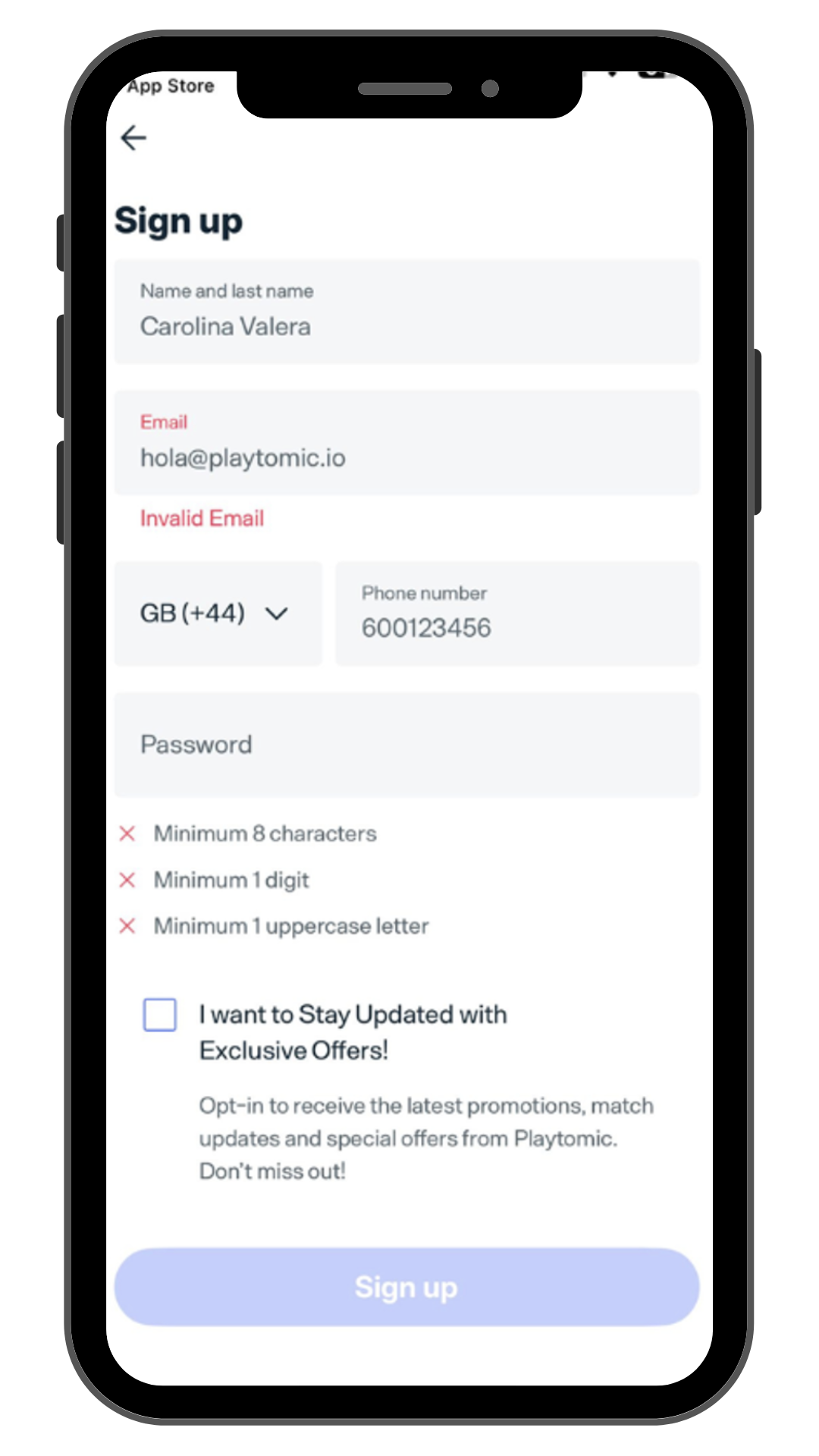
Fill in all the required details in the registration form, including your name, email address, and password. Tick the required boxes, agree to the terms and conditions, and select "Create an account".
STEP 3
STEP 4
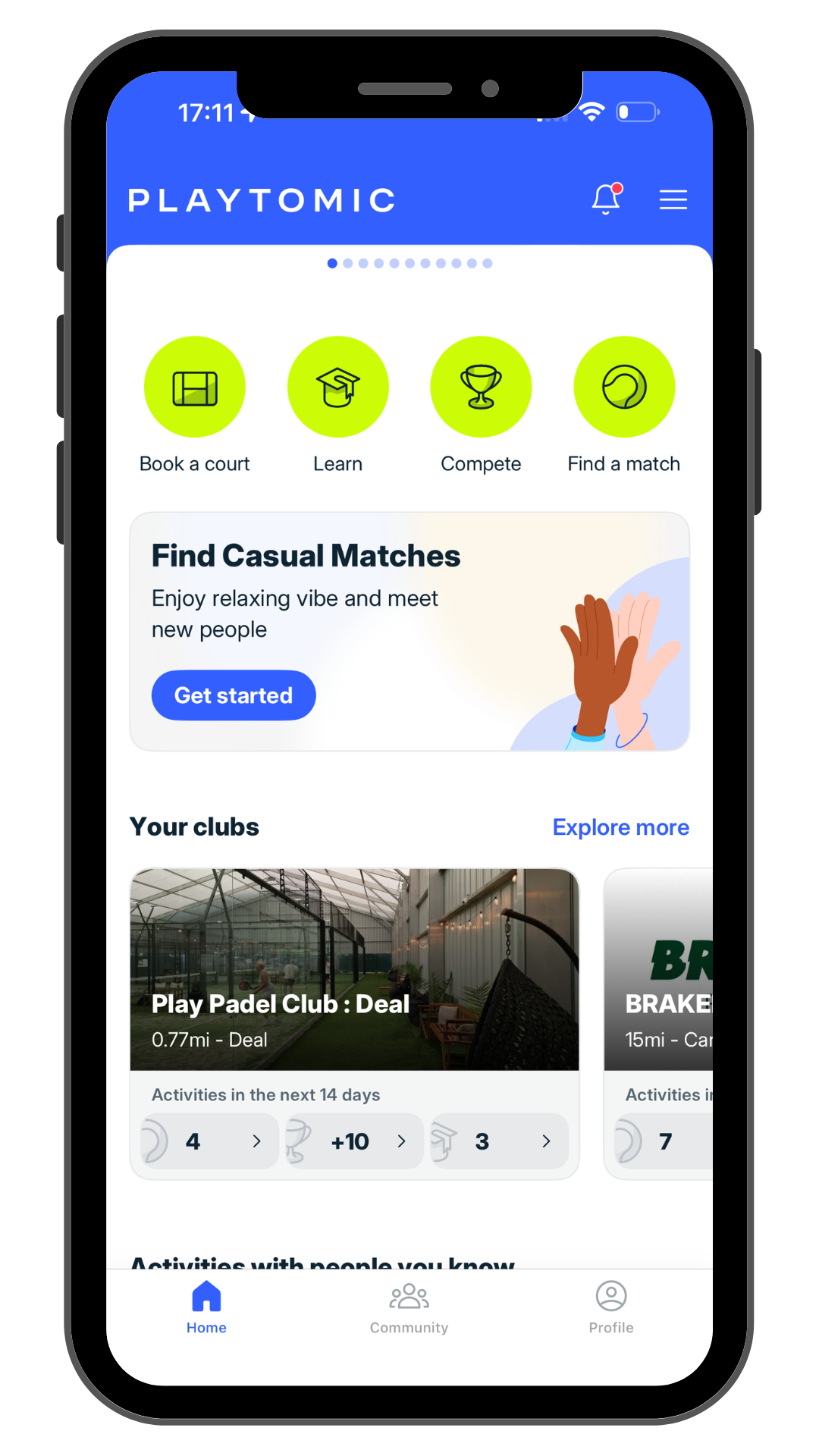
After registering and verifying your account, open the Playtomic app and select "Book a court" from the homepage.
STEP 5
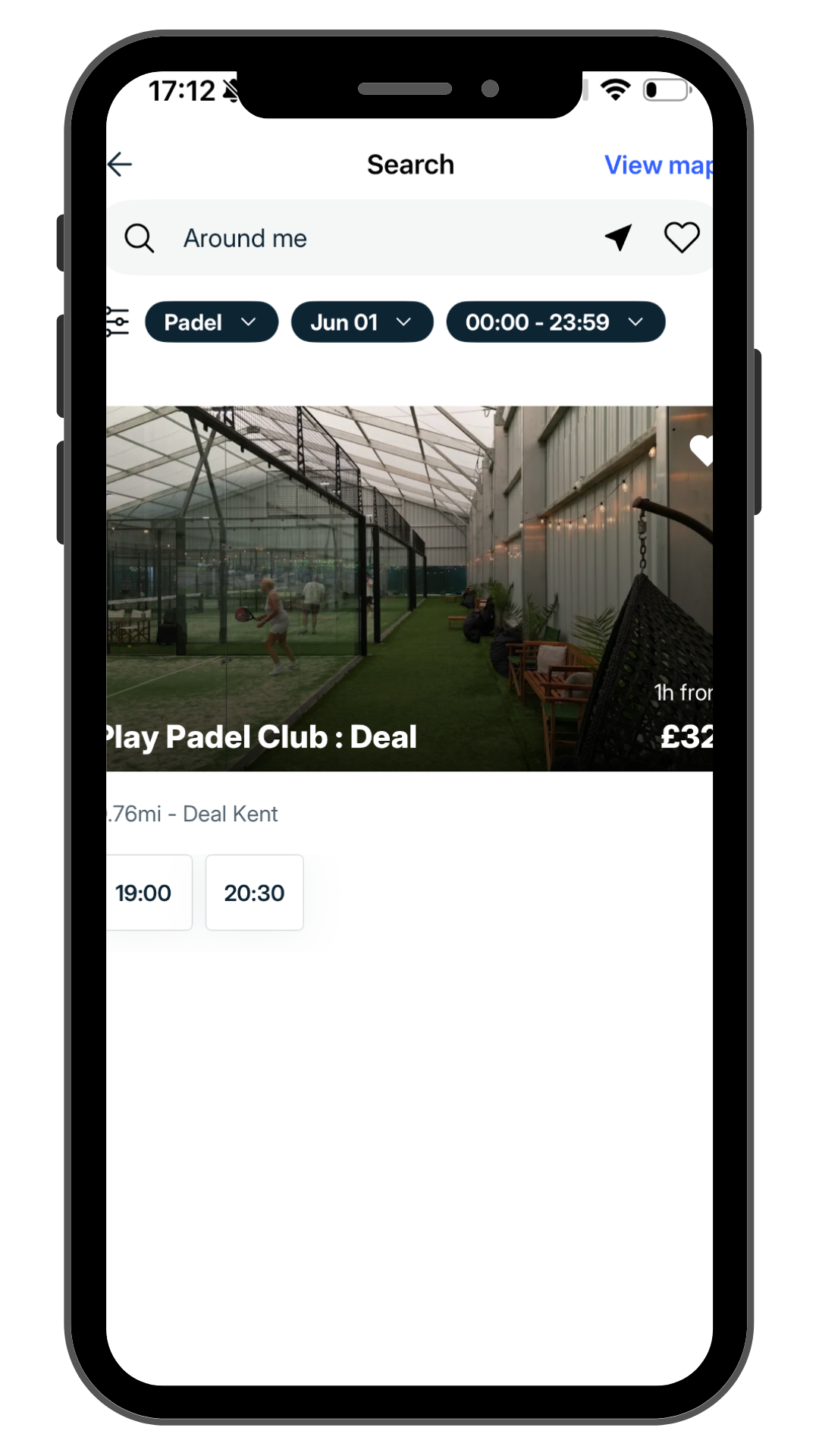
Search for Play Padel Club : Deal, where you would like to book at.
STEP 6
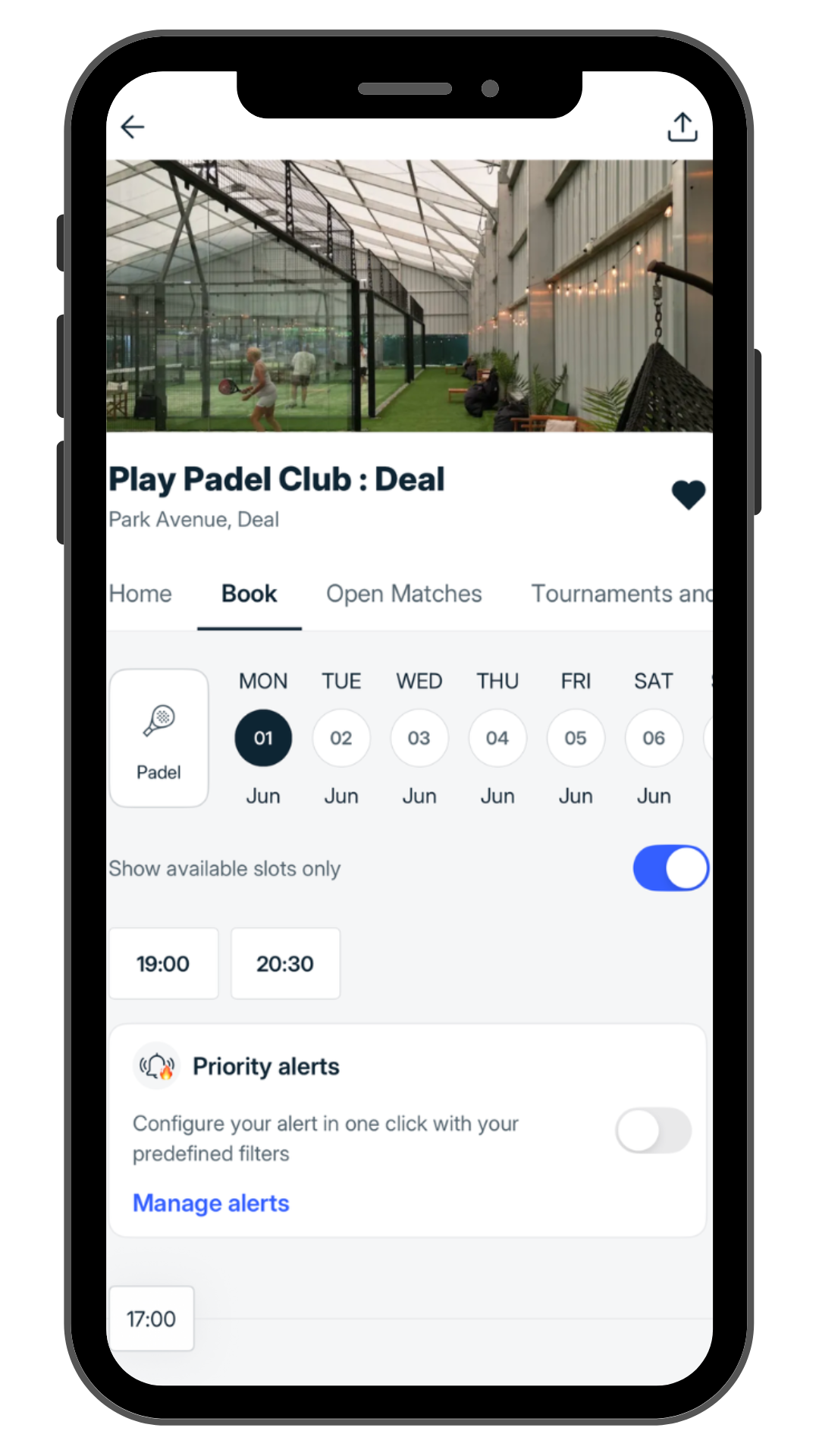
Select the date and time of your preferred booking slot.
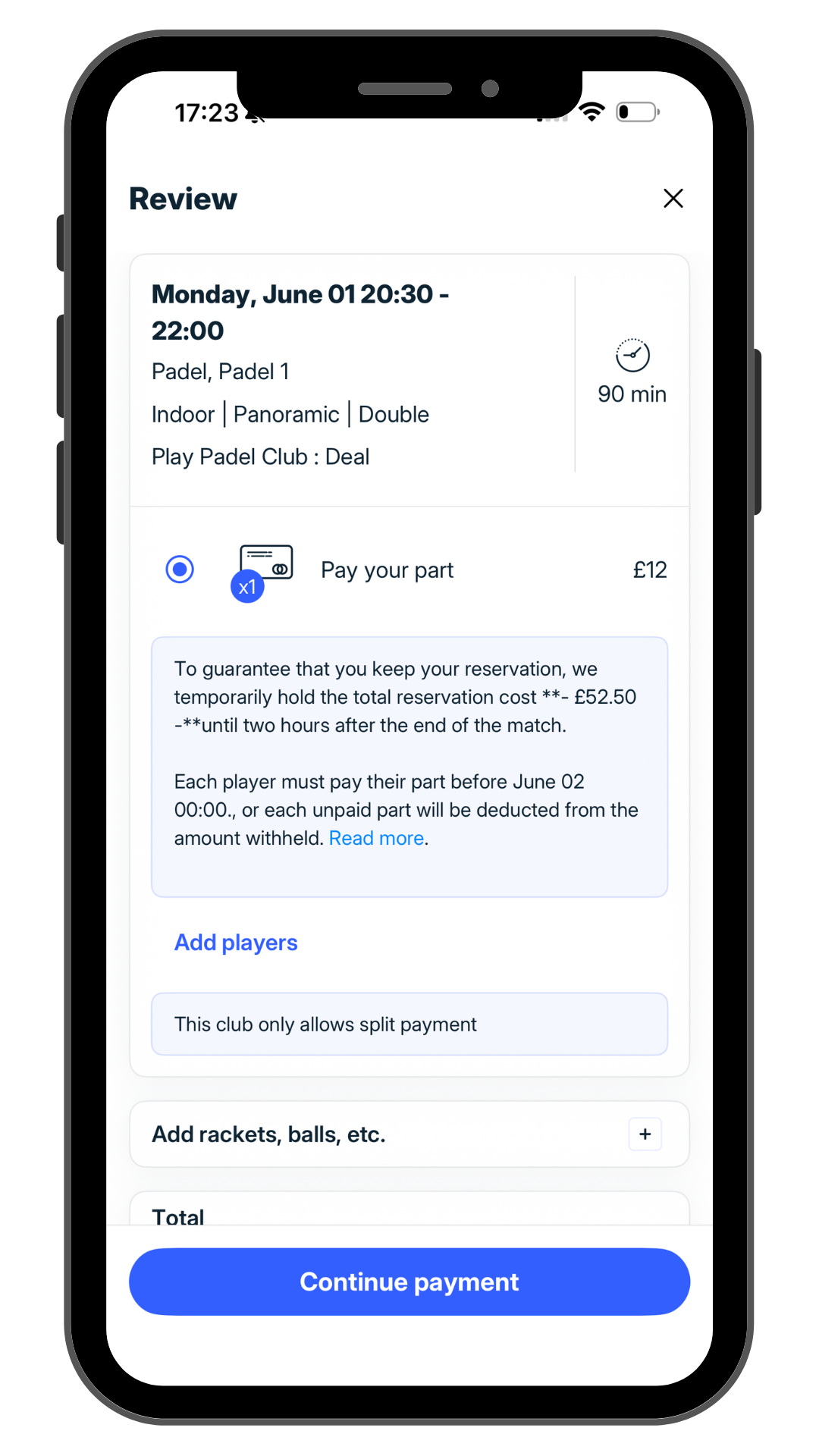
Choose to pay for your part/share of the court or pay for the whole game then continue to payment
STEP 7
STEP 8
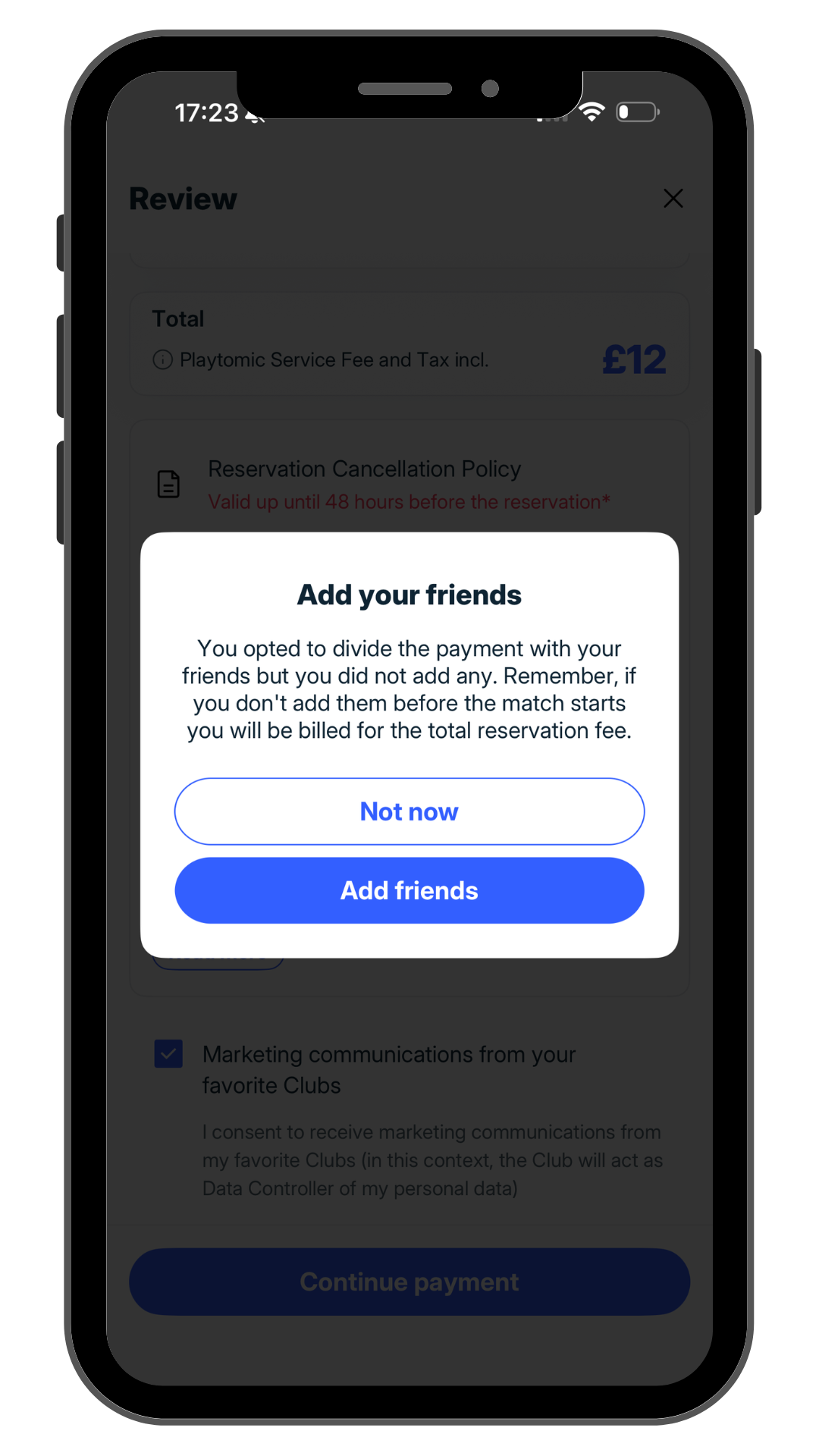
Click on Add Players if you wish to add any of your friends to the match and split payment.
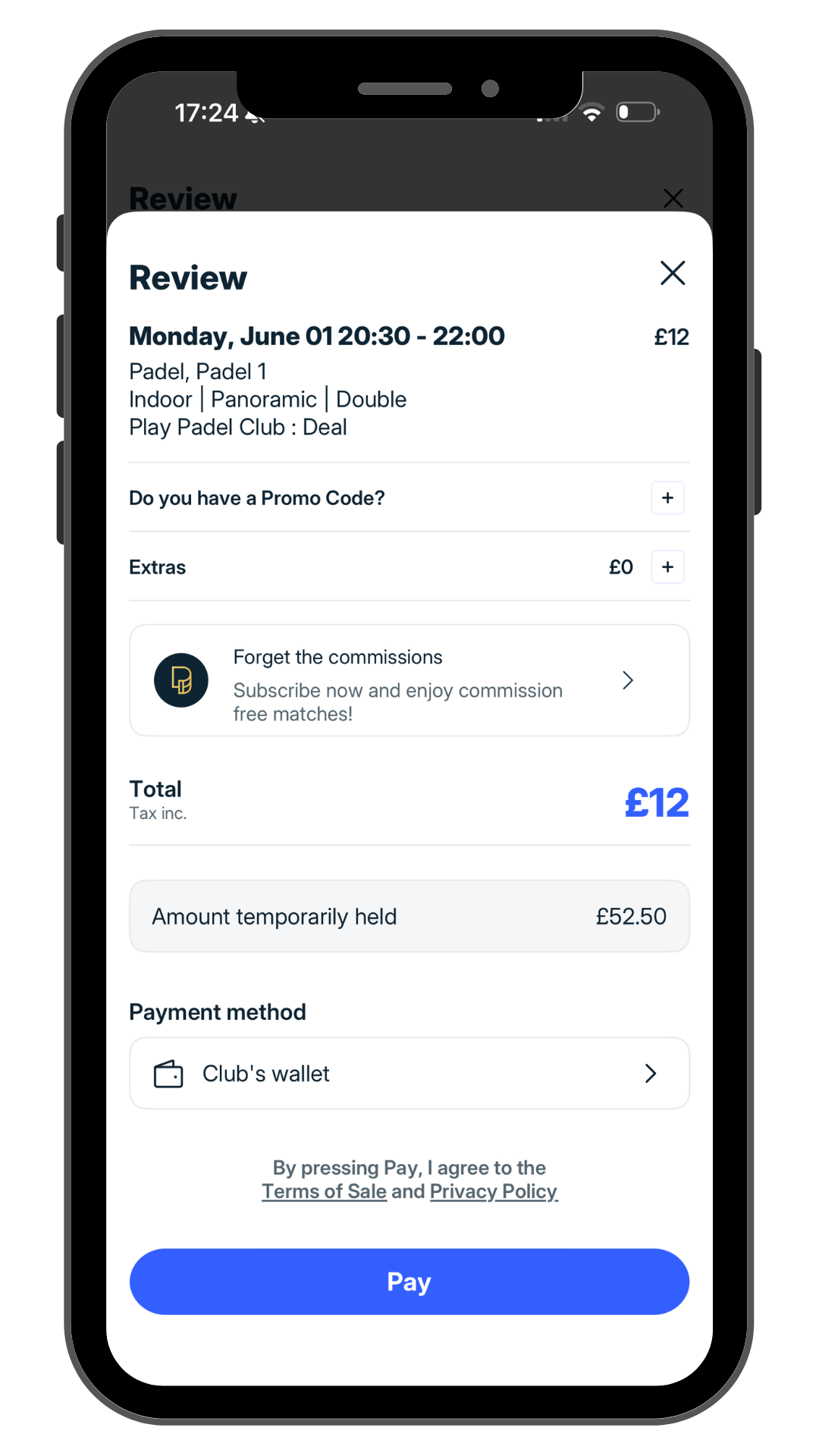
Add any Promo Codes that you might have, select payment method (i.e. Credit Card, ApplePay, Club Wallet) and pay! You are now booked on!
STEP 9

Book with our coaches
COURSES:
Discover Play Padel Club’s tailored padel courses suitable for all skill levels and age groups. Whether you’re a novice or an advanced player, we have you covered. Reserve your spot in our ‘Intro to Padel’ sessions led by our professional coaches via Playtomic. In just 60 minutes, you’ll learn essential techniques, rules, and tactics to kickstart your padel journey.
PRIVATE LESSONS:
You are now able to book a private lesson through the Playtomic app. Open the Playtomic app, go to the Play Padel Club : Deal homepage, click on Academy, then search for your preferred time slot/coach.
You will then have the option to book with one of our coaches and their availability will be visible for the next 7 days.


